HP printer unable to join to a Wi-Fi network that has a 8 or 16 character password
If you use some earlier HP printers with a Wi-Fi network whose password is exactly 8 or 16 characters long, you will need to enter the pre-shared key rather than the password:
- Open AirPort Utility.
- Double-click your AirPort base station and enter your base station admin password if prompted.
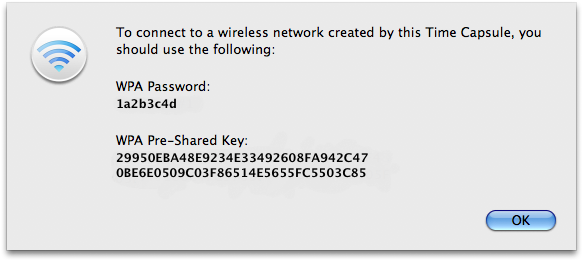
- From the Base Station menu, choose Equivalent Network Password....
- The sheet that appears will display the network password and the 63 hexidecimal pre-shared key. Select all 63 characters in the sheet, then copy them (press Command-C).
- Open the HP setup assistant.
- Highlight the password field.
- Paste in pre-shared key data you copied.
- Complete the setup assistant application.
- Follow any additional steps from the section above that you were using.
TKB:1143